
Manage Creative Production Visually
A step-by-step guide for producers on keeping visual references, schedules and reviews connected, with what Enterall offers for each step.
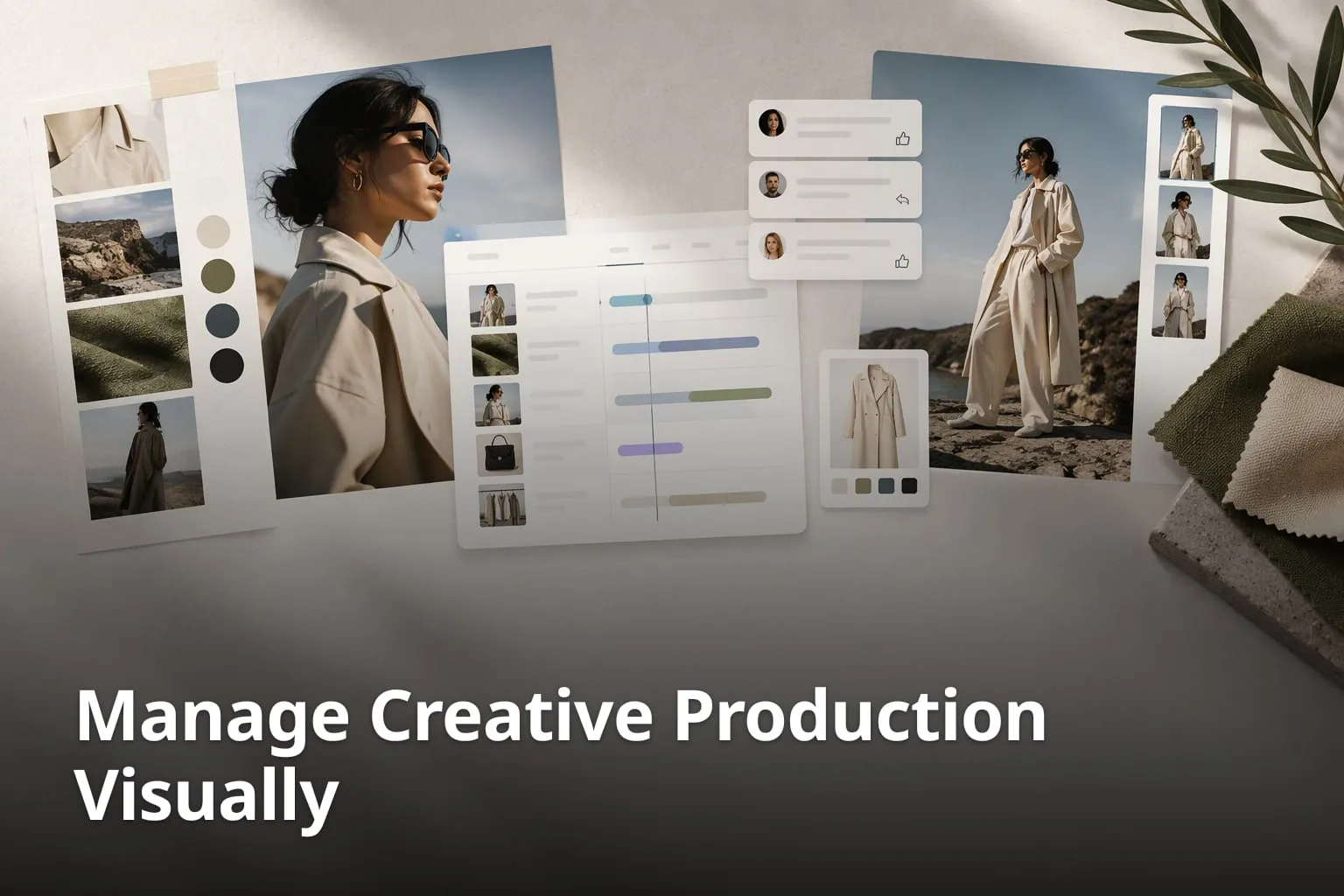
Managing creative production visually means keeping the references, the schedule and the feedback for a project in places that point at each other, so the reason behind a creative decision is still visible when the work reaches review. This guide explains the practice step by step for producers and project leads, and then shows what Enterall offers for this job.
What is visual production management?
Visual production management is a way of organizing creative work around the visual material itself: reference images, sketches, mood boards and notes sit in one shared space, and the plans, briefs and reviews are tied back to that material instead of living in separate documents and message threads.
What are the key details to consider?
- References, sketches and notes are collected in one shared place.
- Briefs and plans can be traced back to the material they came from.
- Feedback is given on the visual, not in a separate email or chat.
- Schedules and deadlines reference the same material the team is working from.
- Everyone, including clients, looks at the same version of the work.
In a typical production, the mood board lives in one tool, the shot list in a spreadsheet, the schedule in a calendar and the feedback in email. Each of those is fine on its own. The trouble starts when a reviewer asks why a color was chosen or which reference a sketch came from and nobody can answer without searching three places.
A visual approach does not replace the schedule or the budget. It adds a layer that keeps the creative intent attached to them. A producer who can open one board and see the references, the current iteration and the open questions spends less of a review meeting reconstructing what happened and more of it deciding what happens next.
A Nulab guide to creative project management (a guest post dated March 2025) lists non-linear workflows and iterative processes among the biggest challenges in creative project management. Creative work loops back on itself: a late change to a direction can reopen decisions that looked settled. That is the situation where being able to see how a result relates to its references is most useful.
How can visual boards improve creative workflows?
A visual board helps a creative workflow by putting references, ideas and open questions next to each other, so a team can compare options and agree on a direction before expensive production work begins.
What should a board put on one surface?
- Put images, sketches, color palettes and notes on the same surface.
- Group references by theme so that directions can be compared side by side.
- Keep early ideas next to the later iterations that came from them.
- Invite collaborators before the direction is final, not after.
- Use the board as the starting point for the brief, not as an afterthought.
The first benefit is shared context. When references, sketches and notes are on one surface, a new person joining a project can see where the work stands without a long handover call. This is especially useful for freelancers, retouchers and external partners who join late.
The second benefit is faster comparison. Placing three color directions or three material options next to each other makes the differences obvious in a way that a list of file names never does. Producers can then ask the client to choose between visible options instead of describing them in words.
The third benefit is early alignment. Mood boards are often used to agree on a creative direction before work starts. Reviewing the direction on a board while it is still easy to change is generally simpler than discovering a mismatch at final delivery.
Boards do have limits. A board is a good place to collect and discuss visual material, but it is not automatically a project plan. If your project needs task owners, dependencies and reporting, plan to keep that information in a scheduling tool and link the two, as the next section describes.
How do producers connect schedules to visual boards?
Producers connect a schedule to a visual board by making the deadlines, milestones and review dates refer to specific parts of the board, whether the schedule lives in the same tool or in a separate calendar or planning tool.
1. Write the milestones on the board itself
List the main milestones, for example concept approval, first iteration, client review and final delivery, in a note or frame on the board. Keep the dates short and unambiguous so that anyone opening the board sees what is due next.
2. Tie each milestone to the material it depends on
For every milestone, point to the references or iterations that the work will be judged against. A deadline for first-round retouching is much clearer when it names the exact set of images that are to be retouched.
3. Keep the detailed schedule where your team already tracks time
Many teams already have a calendar or planning tool that handles resourcing, holidays and dependencies. Rather than duplicate it, add a link from the board to the schedule, and a link from the schedule back to the board. Enterall describes calendar planning that stays near the related board and document work, which suits milestones and review dates; it is not positioned as a replacement for a project-management system built around dependencies and resource allocation.
4. Plan review and approval windows into the schedule
Block time for feedback and for changes before each milestone. A schedule that only counts production days and ignores review rounds is usually the first thing to slip.
5. Update both places in the same sitting
When a date moves, change it on the board and in the schedule together. Two sources that disagree are worse than one incomplete source.
What are the benefits of connecting reviews to visual work?
Connecting reviews to the visual work means that feedback refers to a specific image, section or iteration, so the person making the change knows exactly what is meant and the person who asked can check that it was done.
1. Review on the material, not about it
Ask reviewers to point at the exact image or section they are talking about. Comments such as "the second option on the right" are only reliable when everyone looks at the same board.
2. Keep a record of what changed and why
Note which feedback led to which change. When a client later asks why a direction was dropped, the answer is already written down next to the work.
3. Separate decisions from opinions
Mark clearly which comments are decisions that change the plan and which are suggestions for discussion. This stops open questions from silently becoming requirements.
4. Control who can see and change the board
When external clients or partners are involved, decide whether they should only view the board or also edit it. Giving a client edit rights to a working board is rarely what you want during review.
5. Close the loop after each round
After every review, tell reviewers what was changed and what was not, and why. This keeps the next round shorter and builds trust.
Reviews are easier to run when each comment can be traced to a specific piece of work and to a decision about it.
What is the review routine in short?
- Ask reviewers to refer to specific images or sections.
- Write down which feedback led to which change.
- Separate decisions from suggestions.
- Decide in advance who may view and who may edit.
- Report back after each round.
How can producers turn visual boards into structured outputs?
Producers turn a visual board into structured outputs by moving from collected material to a written brief, a list of deliverables and a plan, while keeping a reference back to the board that the content came from.
1. Start with a brief written from the board
Take the references and notes on the board and write a short brief: goal, audience, mood, must-haves and constraints. Keep the board open next to it so every statement in the brief can be traced to a reference.
2. Use AI assistance for drafts, and review every draft
An AI assistant can turn a set of references and notes into a first draft of a summary or brief. Treat the result as a draft: check names, dates and requirements against the board before it goes to anyone else.
3. Turn the board into lists of work
Walk through the board and write down what has to be produced from it: shots, looks, product variants or assets. A simple list of deliverables with an owner and a due date for each is enough to start. Enterall describes rich tables with typed columns, sorting and filtering for exactly this kind of shot list, asset list or deliverable tracker.
4. Prepare client-facing material from the same source
When it is time to present, build the presentation or summary from the board's content so that the client sees the same references that the team used. Enterall describes presentations assembled from board material, which can be shared as a view-oriented link.
When you produce a brief or a list from a board, keep a link or a note pointing back to the board, so the reasoning stays reachable.
Which of these outputs a tool can create directly differs from product to product, so list the outputs you need and test each one with real project material.
What features should producers look for in visual production tools?
Producers should look for a tool that handles reference collection, shared access with sensible permissions, documents, and an honest answer to the question of how it fits with the scheduling tool they already use.
1. Check how references are collected
Test whether you can upload your real material, such as sketches, product photos and reference images, and arrange it in a way that makes sense to your team.
2. Check sharing and permissions
Find out whether you can invite named collaborators, whether a share link is available, and whether link viewers can be limited to viewing rather than editing.
3. Check feedback options
Ask how reviewers give feedback: directly on the work, in a separate document or through another channel. Make sure it matches how your clients prefer to review.
4. Check which outputs you can create
List the outputs you need, for example briefs, deliverable lists and presentations, and test each one with real project material rather than a demo.
5. Check the pricing model
Many AI-enabled tools meter usage in credits. Look at what a credit buys, whether unused credits roll over, and what a full month of your typical work would cost.
Run a small real project through any tool before you commit: one board, one review round, one handover.
How does Enterall help producers manage visual workflows?
Enterall describes itself as a collaborative visual workspace where creative teams collect references, develop and edit images with AI, and turn the same board into briefs, plans, presentations and shared client work. Its home page calls it "The visual workspace for apparel and fashion teams".
What does Enterall offer producers?
- Boards that combine references, sketches, color palettes and notes.
- Uploads of sketches, product photos and reference images as starting points.
- Invited collaborators who work together in real time.
- A share link, with settings for whether link viewers can view or edit.
- AI tools that turn sketches into rendered concepts and explore colorways, materials, color, length and details.
- Documents, rich tables, calendars and presentations that connect to board material.
- A connected AI assistant (ChatGPT, Codex or Claude) that can help find, organize and develop work.
Enterall describes a production-planning workflow that matches this guide: establish the visual direction on a board, create a written brief, build shot, product or deliverable tables, add dates and responsibilities, and share the complete context with the team. For a producer, that means the references, the brief, the table and the calendar can stay connected to one another.
On the fashion side, the Enterall home page lays out a six-step workflow: bring a sketch to life, change color and material, refine the length and details, create a tech pack, see it on a model, and create the packshot. Enterall's own guidance is to treat AI results as creative direction rather than an unverified production specification, so check measurements, materials and construction details against your own template before production.
Enterall's documentation also describes a connection to an existing AI assistant. The documentation says users can connect Enterall to ChatGPT, Codex or Claude. According to the connection guide, a connected assistant can list and search boards, create private boards, add text and images, group content, create documents, add comments to board shapes, generate or edit images on the canvas and restore board versions, within the permissions the user grants. One of its example workflows is "Create a creative brief document on this board using its references." The guide says to show the proposed content before applying it.
Pricing is based on credits. According to the Enterall pricing page, the Free plan costs 0 DKK and includes 200 credits once, Starter costs 150 DKK per month with 1,000 credits a month, and Pro costs 500 DKK per month with 6,000 credits a month. Enterprise is custom. The page says unused credits do not roll over. The home page says getting started is free and needs no credit card.
Tip: Use a share link or invite collaborators when a direction is ready for review, and decide beforehand whether people should be able to view only or also edit.
What are common challenges in visual production management?
The most common challenges are losing the link between visuals and decisions, giving and tracking feedback across several channels, and keeping the schedule consistent with what is on the board.
Which challenges come up most often?
- The link between a visual and the decision about it gets lost.
- Feedback arrives in several channels at once.
- The schedule and the board show different dates.
- Briefs are written once and then drift away from the board.
- Late direction changes reopen decisions that looked settled.
Fragmentation is the first challenge. When references are in a shared drive, comments in chat and dates in a calendar, someone has to do the work of connecting them. The simplest remedy is to decide where each type of information lives and to link between them.
The second is feedback sprawl. Feedback arrives as emails, chat messages and document comments, and a producer ends up copying it into one place. Agree one channel for each review round and ask reviewers to use it.
The third is iteration. As noted above, the Nulab guide lists non-linear workflows and iterative processes among the biggest challenges in creative project management. A practical response is to number iterations, keep the earlier ones visible and note why a direction was dropped.
The fourth is scope drift. Creative projects change as people see results. Writing the current brief down, and updating it when the direction changes, gives you something to point to when a request goes beyond what was agreed.
Frequently asked questions
Short answers to common questions about keeping creative production visual and connected.
Why is it important to preserve creative context in production?
Creative context is the reason behind a result: the references, the brief and the decisions that led to it. When it is preserved, reviewers can judge work against the intent instead of against their own assumptions, and new team members can understand earlier choices. Keeping references, notes and decisions together with the work is the simplest way to do this.
How do visual boards support collaboration?
A visual board gives everyone the same material to look at. Depending on the tool, collaborators can be invited to work together on it, and a share link can be used for people outside the team. On Enterall, the website says collaborators can work together in real time and that a share link can be set to view or edit.
Can visual production tools handle briefs and other documents?
It depends on the tool. Some can create documents from the material on a board. Enterall's documentation describes creating documents and gives the example of a creative brief created from a board's references through a connected AI assistant, with the proposed content shown before it is applied. Enterall also describes tables, calendars and presentations connected to board material.
How can producers streamline creative reviews?
Producers can keep reviews manageable by agreeing one place for feedback, asking reviewers to refer to specific images or sections, recording which feedback led to which change, and deciding in advance who may view and who may edit. A short report back after each round keeps the next round focused.
What fashion workflows does Enterall describe?
The Enterall home page describes bringing a sketch to life, changing color and material, refining length and details, creating a tech pack, seeing the design on a model and creating the packshot. It also mentions exploring colorways, combining references, building outfits and creating packshot-style images.
Want to try a board for your next production? You can create an account on enterall.co. The home page says it is free to start and needs no credit card.
What are the sources?
The statements about Enterall come from Enterall's own pages, and the statement about creative project management challenges comes from the Nulab guide, both listed below.
Which sources support these claims?
- Nulab, 11 tips for better creative project management (March 2025), https://nulab.com/learn/project-management/creative-project-management-2/
- Enterall home page, https://enterall.co
- Enterall documentation and connection guide, https://enterall.co/docs and https://enterall.co/docs/mcp
- Enterall pricing, https://enterall.co/pricing