
Creative Production Workflow Software for Producers
How creative producers keep briefs, deliverables, feedback and calendars connected on one visual board in Enterall.
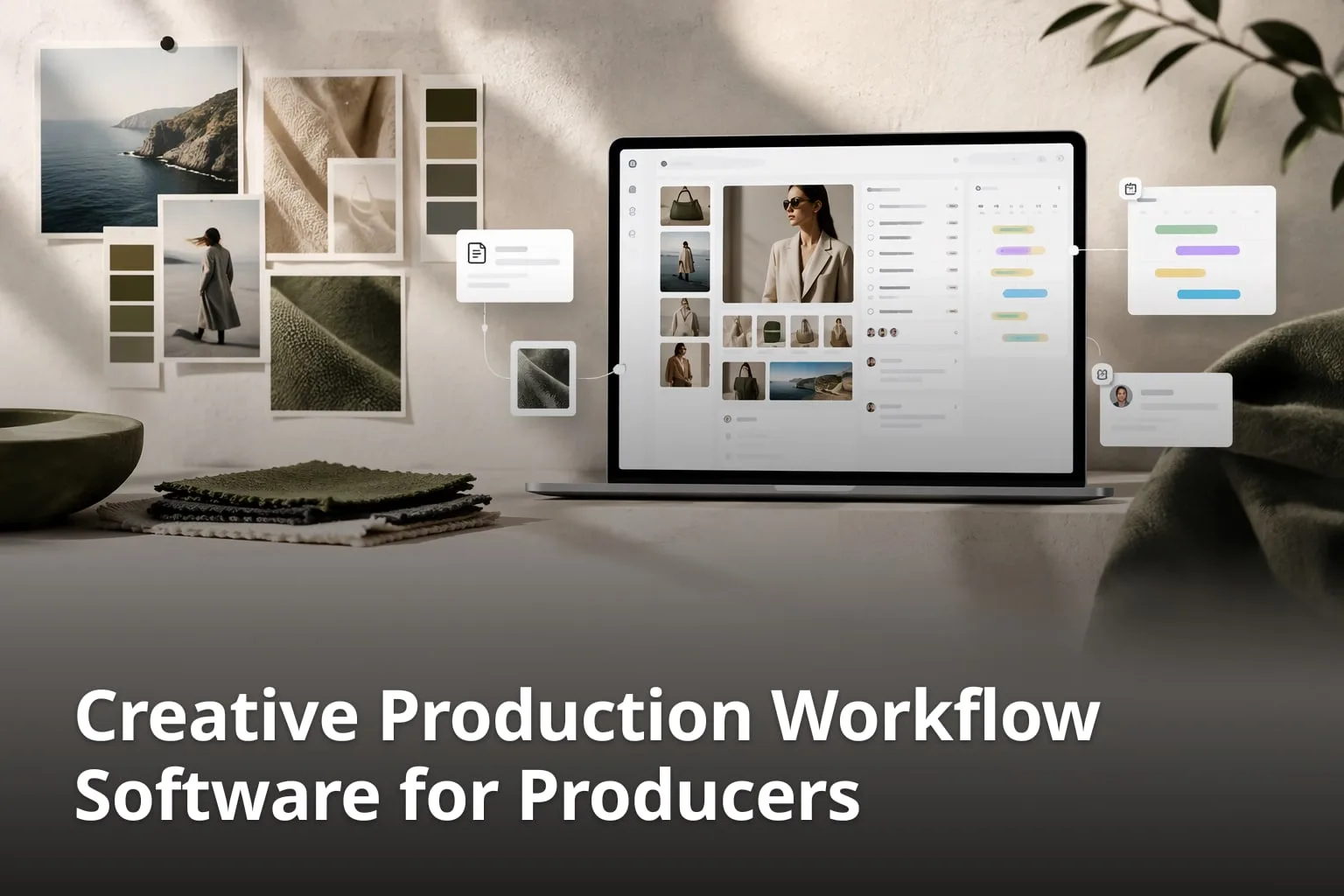
Creative production workflow software keeps a project's references, brief, deliverables, calendar and feedback in one place, so the people producing the work always see the direction behind it. This guide shows how creative producers connect briefs, feedback and schedules on a single board in Enterall, a collaborative visual workspace.
What is a creative production workflow software?
Creative production workflow software keeps references, written direction, deliverables, dates and reviews connected instead of spread across inspiration folders, message threads, spreadsheets and presentation files. Enterall does this on visual boards, where the original references stay next to everything built from them.
- Visual boards for sketches, product photos, references, links, notes and color palettes.
- Documents, rich tables, calendars and presentations created from the same board material.
- Comments and invited collaborators, so review happens on the work itself.
- AI tools that generate and edit images from the references on the board.
Enterall integrates visual boards with structured tools such as documents, tables and calendars, so a brief, a deliverables table and a production calendar can sit beside the references they came from.
Enterall also has workflows shaped around fashion and ecommerce tasks, such as apparel colorways, garment-only pack shots, styling exploration and visual merchandising.
How can producers connect briefs to visual boards?
Producers connect a brief to a board by writing it in a document that is created from that board, then keeping deliverables and feedback on the same board. The brief and the references it rests on then stay together.
1. Start with a reference board
Upload sketches, product photos and reference images, add links and notes, and keep color palettes beside them. This board becomes the visual starting point for the project.
2. Draft the brief from the board
Create a document connected to the board. Draft text with AI assistance, or rewrite and refine a selected passage, while the references stay in view.
3. Organize deliverables in a table
Use a rich table with typed columns, sorting and filtering for asset lists, shot lists or deliverable trackers, so each deliverable sits next to the direction it follows.
4. Collect feedback on the board
Invite teammates and clients and let them comment on the relevant material, so each comment stays attached to what it is about.
5. Check the direction against the board
Before you hand work over, compare the brief, the table and the calendar with the references. Version history lets you review earlier states of a board if a decision needs retracing.
The result is one place where the written direction, the deliverables and the visual evidence stay together. Enterall's own description of this flow is to turn visual direction into briefs, schedules, plans and presentations without rebuilding the context.
How do feedback loops stay connected to the workflow?
Feedback stays connected when reviewers comment on the board or document itself rather than in a separate email or chat thread. In Enterall, comments are attached to the material they refer to.
1. Invite the people who need to respond
Invite teammates to work on the board in real time, or share the board by link with view or edit access. Read, write and administrative access levels control who can change what.
2. Comment on the material itself
Reviewers leave comments on the relevant image, document or table, and the team can compare and annotate directions on the same board.
3. Mention the person who should answer
A mention references a specific person and notifies them, which keeps a question from getting lost.
4. Bring clients and external reviewers in
Enterall has external review flows, so clients can understand the work in context and respond to the next decision on the same board.
5. Go back through earlier versions
Version history keeps earlier saved states that can be reviewed or restored, which helps when you need to see how a direction changed.
How can producers manage schedules effectively in creative workflows?
Producers manage schedules by keeping a calendar next to the board and documents it belongs to. Enterall has calendars for time-based planning, such as shoot schedules, review milestones and production timelines, kept near the related board and document material.
1. Create calendar events for milestones
Add events for shoots, review rounds and delivery dates, so the key moments of the project are visible next to the brief.
2. Add dates and responsibilities to the deliverables table
Record who owns each deliverable and when it is due in the table, so the plan and the calendar describe the same work.
3. Review the work by time period
Look at a week or a month at a time to see what is due, and filter planning information by people where supported.
4. Keep the calendar near the board
Because the calendar sits with the related board and document material, a date can be checked against the direction behind it.
5. Share the complete context with the team
Share the board with the people who deliver the work, so they see the brief, the table and the calendar together.
Enterall is built around visual work that grows into a plan, not around task dependencies and resource allocation. A team that needs a project-management system centered on dependencies may still want a dedicated tool beside Enterall for that.
What are the benefits of linking deliverables to source boards?
Linking deliverables to a source board means everyone can see which references and decisions a deliverable came from, without recreating that context by hand.
- Deliverables sit beside the visual references they follow.
- Comments and earlier decisions stay on the board where they were made.
- A reviewer sees the work in context instead of a flat export.
- Briefs, tables and presentations built from the board carry the original context with them.
This matters most when feedback arrives from several people. Flat exports lack context, and feedback sent through separate messages becomes ambiguous. A reviewer who opens the board sees the references, the alternatives and the comments together.
How does Enterall support creative producers?
Enterall gives producers one board on which references, AI-generated variations, a brief, a deliverables table, a calendar and review comments can stay connected.
The AI tools work from the material already on the board. Producers can generate images from prompts, edit selected images, combine references and create variations by changing colors, materials, backgrounds or styling. Results still need a human check: small product, material or construction details can change, so review them before they go into a brief or a presentation.
Presentations are part of the same flow. Selected board material can become a presentation that is shared through a view-oriented link for review or delivery.
How can producers turn boards into structured documents?
Producers turn a board into a document by creating the document from the board, writing the brief or production notes beside the references, and adding tables where the information is structured.
1. Draft the brief or production notes from the board
Pick the key visuals as reference and write the creative direction, color notes and production notes in a document connected to the board.
2. Use AI to refine the text
Draft text with AI assistance, rewrite or refine a selected passage, or ask questions about the board or document. Edits can be local, so you do not replace the whole document.
3. Embed a table for deliverables and schedules
Use a rich table with typed columns for deadlines, owners or status, and sort or filter it as the plan changes.
4. Keep the document tied to the board
Because the document is created from the board, collaborators can go back to the original references behind each decision.
5. Check the text against the direction
Read the finished document next to the board and confirm that the written brief matches what was decided visually.
Tip: write the brief while the references are in view. A brief drafted beside the board is easier to check against the direction it came from.
FAQs
What makes Enterall different from other tools?
It keeps the steps around image generation connected. References, AI-generated results, comments, briefs, tables, calendars and presentations live on the same project board, instead of in separate tools.
Can I use Enterall for fashion-specific workflows?
Yes. Enterall has workflows built around fashion and ecommerce tasks, including apparel colorways, material changes, garment-only pack shots, styling and scenery variations and campaign imagery.
How does feedback work in Enterall?
Collaborators comment on the relevant material on the board or in a document. Mentions notify the person being asked, and read, write and administrative access levels control who can change what.
Can I plan schedules and timelines in Enterall?
Yes. Calendars let producers create and manage events such as shoot schedules and review milestones, and keep them near the related board and document material. Teams that need task dependencies and resource allocation may want a dedicated project-management tool alongside it.
Can documents be created from a board?
Yes. Documents connected to a board can be drafted with AI assistance, refined in selected passages, and extended with rich tables.
Can clients review work in Enterall?
Yes. Boards can be shared with clients and external reviewers by link with view or edit access, and presentations can be shared through view-oriented links.
How do I get started with Enterall?
The pricing page on enterall.co lists a Free plan that needs no payment, with AI credits included once, monthly Starter and Pro plans, and a custom Enterprise plan. Signing up requires confirming an email address.
Related reading: Top Tools Creative Directors Use to Manage Concepts.