
Enterall vs Mercer: AI Tools for Fashion Design Teams Compared
Enterall and Mercer (formerly Cala) both offer AI image tools for fashion design. We compare their features, collaboration, production options and published pricing.
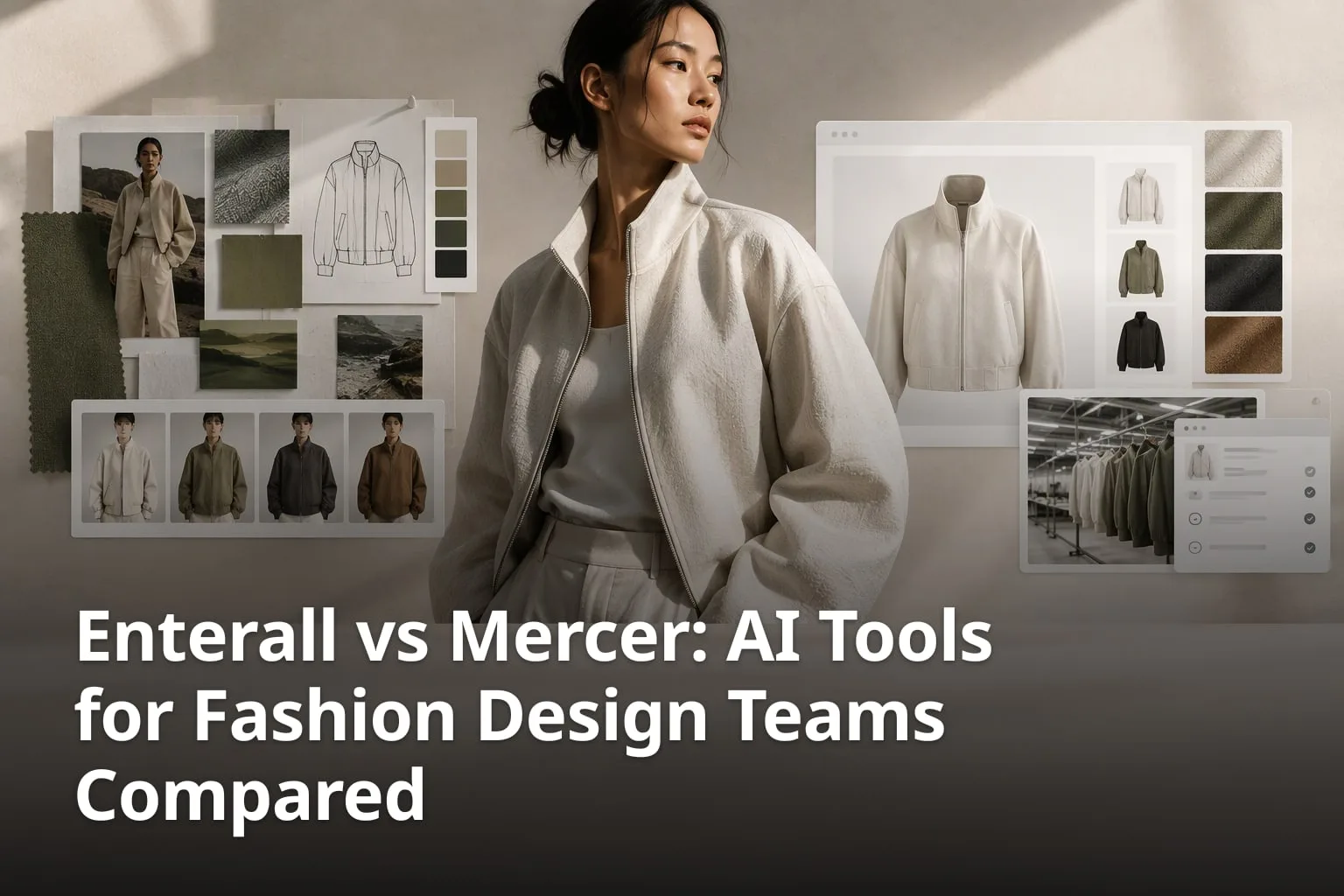
Enterall and Mercer are both web-based tools for fashion designers who want to use AI image generation in their work, but they are built around different ideas. Enterall is a visual workspace organised around boards, where references, sketches, colour palettes and notes sit next to AI tools for renders, colourways, materials and product images. Mercer, formerly Cala, is a platform that runs from concept to production, with brand-trained AI models, task management and, on its Enterprise plan, access to a manufacturing network. This comparison is based on what each company publishes on its own website, enterall.co and mercer.design, as checked in October 2026, so you can see where each tool fits before you try them.
What is Enterall and who is it for?
Enterall is a visual workspace for fashion and apparel designers, from independent creatives to teams. You bring references, sketches, colour palettes and notes together on a board, then develop and visualise your ideas with AI image tools. The home page sums up the workflow as going from sketch to tech pack, and pitches the product as a way to explore colourways, scenes and fits "without a sample round".
| Feature | Enterall | Mercer |
|---|---|---|
| What it is | A visual workspace for fashion and apparel designers, built around boards | A platform for fashion product design from concept to production (formerly Cala) |
| AI image tools | Render sketches, explore colourways, change materials, combine references, build outfits, on-model and packshot-style images, edit existing images | Text-to-image, sketch-to-image, AI Edit Tool, AI Paintbrush editing, product variations, custom swatch generation, background removal |
| Brand-trained AI models | Not described on enterall.co | AI Influences: train models on past collections or inspiration boards (Studio plan and up) |
| Video output | 8-second videos at 720p, 1080p or 4K, paid with credits | Not listed on the mercer.design features or pricing pages |
| Collaboration | Real-time collaboration on a board; share link with view or edit access | Comments, notes and measurements on files; tasks on Studio Pro and up; sharing via PDFs and collection links |
| Tech packs and production | Create a tech pack (one of the six workflow steps shown on enterall.co) | Export to print-ready files; production, manufacturing and logistics on Enterprise |
| Pricing | Free plan with 200 credits once; Starter 150 DKK / month; Pro 500 DKK / month; Enterprise custom | Designer $19 / Month; Studio $69 / Month; Studio Pro $159 / Month; Enterprise from $499 / Month |
| Connection to AI assistants | MCP connection for ChatGPT, Codex and Claude | Not described on mercer.design |
| Your images and AI training | Not used to train AI models; AI providers do not train on them by default | Not used to train its foundational models or other customers’ models |
What can you do with Enterall’s AI tools?
- Bring a sketch to life by turning it into a rendered concept.
- Change colour and material to explore colourways and fabrics.
- Refine the length and details by editing an existing image.
- Create a tech pack for the design.
- See the design on a model.
- Create a packshot-style product image.
These six steps are the workflow shown on Enterall’s home page. The FAQ on the same page adds that you can combine references and build outfits, and that you describe what you want in plain language, such as trying a new colour or changing a fabric. No AI experience or special software is needed, and you get started in the browser. You can upload your own sketches, product photos and reference images as a starting point, keep them next to your colour palettes and notes, and download the images you create to use in the rest of your design workflow.
For working with others, Enterall lets you invite collaborators to work on a board together in real time, or turn on a share link. Sharing settings decide whether people with the link can view or edit the board. Beyond the web app, Enterall offers an MCP connection that lets you find and read your boards, create private boards and documents, organise references and develop images from ChatGPT, Codex or Claude. Connecting and using the board, canvas, document and collaboration tools through that connection is free; image generation and editing use your Enterall credits.
All AI work in Enterall runs on credits. The Free plan includes 200 credits once and needs no credit card, while the paid Starter and Pro plans give a new allocation each billing month. How many credits a task uses depends on the tool and the output you choose. The full plan details are covered in the pricing section below.
What is Mercer and who is it for?
Mercer, which its website labels as formerly Cala, is a platform that helps creators concept, design and produce fashion products and collections. It describes itself as an all-in-one platform for product design from concept to production, aimed at independent designers, small fashion houses and established fashion brands. Its site is about fashion products, collections and manufacturing throughout, not software or interface design.
Which features does Mercer list?
- AI Text-To-Image Designer: describe a design and get an image rendering.
- Sketch-to-Image: upload sketches and turn them into renders with the AI Edit tool.
- AI Edit Tool and AI Paintbrush editing: change designs with natural-language prompts.
- AI Influences: train custom models on past collections or inspiration boards to keep new designs on brand.
- Product Variations, custom swatch generation and background removal.
- Comments, notes, measurements and tasks on creative and technical files.
- Export of collection details to print-ready files, and sharing with people who have no Mercer account.
Mercer’s most distinctive AI feature is AI Influences. You upload past collections and inspirational material to train a model so that new product development stays on brand. The tool is included from the Studio plan up, which comes with 1 Influence and 5 Trainings per month. Mercer’s FAQ says trained models are private unless you choose to share them with other Mercer users. It also says Mercer currently uses a mix of Flux and Stable Diffusion depending on the feature, and that the platform is built to be model-agnostic.
Collaboration on Mercer centres on the files themselves. Its site describes storage for image, video, 3D and Excel files, with comments directly on them, plus notes and measurements on creative and technical files. The Tasks tool assigns work to team members, who are notified in the dashboard and by email; task management tools are listed on the Studio Pro plan and up. Designs can be shared for feedback with team members and production partners, whether they have a Mercer account or not, through print-ready PDFs and collection links.
Production is where Mercer goes beyond design software. On Enterprise subscriptions, Mercer provides production and manufacturing services, with access to its global manufacturing network, bulk logistics handling and branding and design services. Its site lists categories from outerwear, shirting, dresses and denim to hats, swimwear, bags and bedding. On the Designer, Studio and Studio Pro plans, Mercer does not produce or manufacture anything. Its FAQ presents those plans as a design and collaboration tool for people who already have a production network and want to share designs with their own manufacturers directly from Mercer.
How do Enterall’s and Mercer’s AI image tools compare?
Both tools generate and edit fashion images from text, sketches and references, so the difference lies in what surrounds the AI rather than whether it exists. Enterall frames its tools around a board and a six-step path from sketch to packshot, and adds video output. Mercer frames its tools around collections and adds brand-trained models, swatch generation and background removal.
In Enterall, the starting point is whatever is on the board: a sketch, a product photo or a reference image. From there you can render a concept, try colourways, change materials, combine references, build outfits, see the garment on a model and create a packshot-style image. You can also edit an existing image to develop a specific detail or try another direction. Enterall’s pricing page also lists video outputs: 8-second videos at 720p, 1080p and 4K, with 4K available from the Starter plan.
In Mercer, a first design starts from the home page with New Design and then Create AI Image, according to its FAQ. Its features page lists an AI Text-To-Image Designer, Sketch-to-Image, an AI Edit Tool driven by natural-language prompts, custom swatch generation that you can apply to your designs, and one-click background removal. The home page adds Product Variations and AI Paintbrush editing.
The clearest functional difference is brand training. Mercer’s AI Influences lets a team train a model on its own past collections; enterall.co does not describe a comparable feature. In the other direction, enterall.co shows on-model images and video among its outputs, and neither is named on Mercer’s features or pricing pages.
If your priority is new designs that match an existing brand look, Mercer presents its trained models as the way to keep development on brand. If you want to move from a single sketch through colour, material, details, a model shot and a packshot in one visual space, Enterall’s board is designed around that sequence. In both cases, the only reliable way to judge image quality is to try the same design in each tool.
Who owns the designs, and is your data used to train AI?
Both companies say you keep ownership of your work and that your images are not used to train their AI models. The details differ slightly, so it is worth reading each policy before you upload a collection.
Enterall says you retain your rights to the images you upload, that it does not claim ownership of your generated images, and that it does not use your images to train AI models; its AI providers do not train on them by default. Its terms add that AI results may contain errors, may resemble other outputs and come with no guarantee of exclusivity, so you should review them before using them commercially. For readers in Europe, Enterall’s legal page notes that some personal data may be processed outside the EU or EEA, and that it relies on mechanisms such as the European Commission Standard Contractual Clauses where GDPR transfer rules apply.
Mercer’s FAQ says you own the designs you create, and that it will never use, sell or license anything you create without your consent. It says it does not use your data to train its foundational models or other customers’ models, and that the models you train with AI Influences stay private unless you share them with other Mercer users.
How do collaboration and sharing compare?
Both tools support teamwork and sharing outside the team, with a different emphasis. Enterall focuses on working on the same board in real time and sharing a board by link with view or edit rights. Mercer focuses on structured feedback on design files, with comments, notes, measurements, tasks and sharing with production partners.
In Enterall, the collaborators you invite can work on the same board at the same time. A share link can be set so that people with the link can only view the board, or can edit it, which matters when someone outside the team only needs to look. Enterall’s terms point out that content you make available to collaborators, public viewers or connected applications may be copied by those recipients, and that removing access stops future access but does not remove copies already made.
In Mercer, collaboration is tied to the plan. The Designer plan has 1 editor and already includes sharing designs outside Mercer. Studio adds multiple team members with 3 editors, Studio Pro has 5 editors and adds task management tools, and Enterprise has 10 editors; additional users cost $15 each on the team plans. Mercer also lets you onboard manufacturing and production partners to streamline communication and approvals.
The choice depends on who you work with. A small design team that sketches and iterates together may find a live, shared board the most direct fit. A brand that passes measured, commented designs to factories, with assigned tasks and timelines, will find those features spelled out on Mercer’s site.
One point to check: enterall.co does not describe comments, approval steps or task assignment, and its pricing page lists plans by credits rather than by seats. If your process depends on those features or on a fixed number of users, test them on the Free plan or ask Enterall before you commit.
How do Enterall and Mercer organise visual work?
Enterall organises work on boards, where references, sketches, colour palettes, notes and generated images sit together. Mercer organises work in collections, where creative and technical files, tasks and production details are managed in one place.
Enterall describes itself as a collaborative visual board for organising ideas, images and workflows. A board holds the uploads you start from and the images you generate, alongside colour palettes and notes, so you can compare directions side by side. Boards and documents both live in an Enterall workspace, and you can delete boards at any time. If you work with AI assistants, the MCP connection can also find and read boards, create private boards and documents and organise references from ChatGPT, Codex or Claude.
Mercer’s unit is the collection. Its home page talks about managing all collection assets in one place, assigning tasks from within collections and exporting collection details to print-ready files. Creative can be created, uploaded, stored, managed and updated in one place, and you can start from inspiration photos, hand sketches, CADs, tech packs or AI. The Enterprise plan includes unlimited collections. Mercer’s FAQ says product templates are not available yet but are being worked on, and the pricing page marks them as coming soon.
In practice, a board suits the open, early stage of a design, when you are collecting references and trying directions. A collection structure suits later stages, when files, measurements and tasks for a whole range need to stay organised. It helps to match the tool to the stage where your team spends most of its time.
What are the main differences in organisation?
- Enterall: boards with references, sketches, colour palettes, notes and AI images together.
- Mercer: collections with creative and technical files, notes, measurements and tasks.
- Enterall: boards and documents in one workspace, also reachable from ChatGPT, Codex or Claude through MCP.
- Mercer: storage for image, video, 3D and Excel files, with comments on them.
- Mercer: export of collection details to print-ready files.
How do the workflows run from sketch to production?
Enterall’s workflow runs from sketch to tech pack, on-model image and packshot. Mercer’s runs from concept to production, and on the Enterprise plan it continues into manufacturing and logistics.
Enterall’s home page shows the path in six steps. A designer uploads a sketch and turns it into a rendered concept, changes the colour and material, refines the length and details, creates a tech pack, sees the garment on a model and finishes with a packshot. Each step happens on the same board, so the sketch, the variations and the final images stay together, and the resulting images can be downloaded for use elsewhere.
Because every AI step uses credits, it helps to know what a plan buys. Enterall’s pricing page estimates that if you spend a plan’s full credits on one type of output, Starter gives around 90 standard images or around 8 videos at 720p, and Pro gives around 545 standard images or around 50 videos at 720p. Actual use varies with the tool and the output you choose.
Mercer’s workflow starts with design and goes further. On Designer, Studio and Studio Pro you design in Mercer and share the result directly with your own manufacturers, with comments, notes, measurements, tasks and timelines keeping communication in one place. Mercer’s site lists checklists, timelines and reviews to keep production timelines on track. On Enterprise, Mercer offers to manage production from start to finish, working with your own creatives and manufacturing partners or using its network of designers, suppliers and production resources.
That makes the decision partly about how much of the chain you want in one system. If you already have a sampling and production partner and mainly want faster visual development, Enterall covers the design and visualisation stage. If you want one platform to also manage production, or you are looking for a manufacturing partner, Mercer’s Enterprise offering is set up for that.
What are the main workflow differences?
- Enterall: sketch, colour and material, details, tech pack, on-model image, packshot.
- Mercer: concept, design, collaboration and production in one platform.
- Enterall: 8-second video outputs at 720p, 1080p or 4K.
- Mercer: production, manufacturing and logistics on the Enterprise plan only.
- Both: start from your own sketches or reference images.
How do Enterall’s and Mercer’s prices compare?
Enterall starts with a Free plan and sells monthly credit plans, while Mercer lists four paid plans in US dollars, from $19 / Month for Designer to Enterprise from $499 / Month. The two measure AI usage differently, so the monthly prices are not directly comparable.
On Enterall’s pricing page, Free costs 0 DKK and includes 200 credits once, with no payment needed. Starter is 150 DKK / month for 1,000 credits a month, and Pro is 500 DKK / month for 6,000 credits a month, six times the Starter allocation. Enterprise has custom pricing, with credits set for the team and a sales-assisted setup. Starter and Pro renew monthly, unused credits don’t roll over, and Enterall states that VAT is not currently charged. The page can also show prices in USD or EUR, and the currency and exact amount are confirmed before payment.
On Mercer’s pricing page, Designer is $19 / Month with 300 AI credits per month and 1 editor, and an additional 300 credits can be added at any time for $15. Studio is $69 / Month with 1200 AI images per month, 3 editors and the AI Influences tool. Studio Pro is $159 / Month with 2400 AI images per month, 5 editors and task management tools. Enterprise starts at $499 / Month with 3000 AI images per month, 10 editors, unlimited collections, costing and checkout, and access to Mercer’s global manufacturing network, bulk logistics handling and branding and design services.
Comparing these figures head to head is hard. Enterall counts credits, and how far they go depends on the tool and the output, while Mercer lists AI credits on Designer and AI images on its other plans. A fair test is to run the same task, for example one sketch taken through five colourways, in each tool and compare both the results and the usage it consumes.
Two practical differences are clear from the pricing pages. Enterall lets you start at no cost without a credit card, while Mercer’s pricing page lists paid plans only, starting with Designer. Mercer’s plans include a set number of editors with a price for each extra user, while Enterall’s pricing page describes plans by credits rather than seats.
What are the key pricing facts?
- Enterall Free: 0 DKK, 200 credits once, no credit card needed.
- Enterall Starter: 150 DKK / month for 1,000 credits a month.
- Enterall Pro: 500 DKK / month for 6,000 credits a month.
- Mercer Designer: $19 / Month with 300 AI credits per month and 1 editor.
- Mercer Studio: $69 / Month; Studio Pro: $159 / Month; Enterprise: from $499 / Month.
Which tool fits which kind of fashion team?
Enterall fits designers and teams who want a board-based space to explore and visualise designs with AI, from first sketch to product images, with a free way to start. Mercer fits brands that want models trained on their own collections, structured feedback and tasks, and, on Enterprise, a production partner.
For an independent designer or a small studio, cost and speed usually come first. Enterall’s Free plan lets you try the sketch-to-packshot path on your own designs before paying. Mercer’s Designer plan is aimed at solo creatives and freelancers and includes the generative AI design tool, the AI Edit Tool and sharing outside Mercer.
For a brand with an established look and a back catalogue, Mercer’s AI Influences is relevant because it trains on past collections. For a brand that works closely with factories, Mercer’s sharing with production partners, measurements and tasks match that work, and its Enterprise plan adds manufacturing.
For teams that already work with AI assistants, Enterall’s MCP connection is a practical difference: you can find and read boards, create documents and develop images from ChatGPT, Codex or Claude. Mercer’s site does not describe a comparable connection.
Enterall also offers a free custom board. You send links to your website, Instagram or other references, and Enterall says you will receive a customised board showing your content in its use cases within 48 hours. It is a quick way to see your own material in the tool before you sign up.
What should you check during a trial?
- Run the same sketch through both tools and compare renders, colourways and material changes.
- Note how many credits or AI images one complete design uses.
- Share a design with someone outside your team, both view-only and with editing.
- If brand consistency matters, compare Mercer’s AI Influences with working from references on an Enterall board.
- Confirm how many people can use each plan for your team size.
FAQs
Is Mercer a design system or UI design tool?
No. Mercer, formerly Cala, is a platform for designing and producing fashion products and collections. Its website covers AI image tools, collaboration on design files and fashion production, not interface design.
Does Mercer offer AI-assisted image generation?
Yes. Mercer lists text-to-image, sketch-to-image, an AI Edit Tool, AI Paintbrush editing, product variations, custom swatch generation and background removal, plus AI Influences for training brand-specific models.
Can Enterall be used for fashion-specific workflows?
Yes. It is built for fashion and apparel designers. You can render sketches, explore colourways and materials, refine details, create a tech pack, see a design on a model and create packshot-style images.
Which of the two has a free plan?
Going by the two pricing pages, Enterall has a Free plan with 200 credits, given once, and no credit card is needed. Mercer’s pricing page lists paid plans only, starting with Designer at $19 / Month.
Can I share work with people outside my team?
Both tools allow it. Enterall lets you share a board by link with view or edit access. Mercer lets you share designs with team members and production partners, with or without a Mercer account, through print-ready PDFs and collection links.
Does either tool manufacture my designs?
Mercer does on its Enterprise subscriptions, with access to its global manufacturing network and logistics; its other plans do not include production. Enterall’s website does not describe manufacturing services. Its workflow ends with a tech pack and product images you can download.
Are my images used to train AI models?
Both say no. Enterall says it does not use your images to train AI models and its AI providers do not train on them by default. Mercer says it does not use your data to train its foundational models or other customers’ models.