
Enterall vs Artlist: Fashion Design Board or Media and AI Platform?
Enterall is a visual workspace for fashion and apparel teams. Artlist offers stock music, sound effects, footage, templates and AI tools. Here is what each company says on its own site.
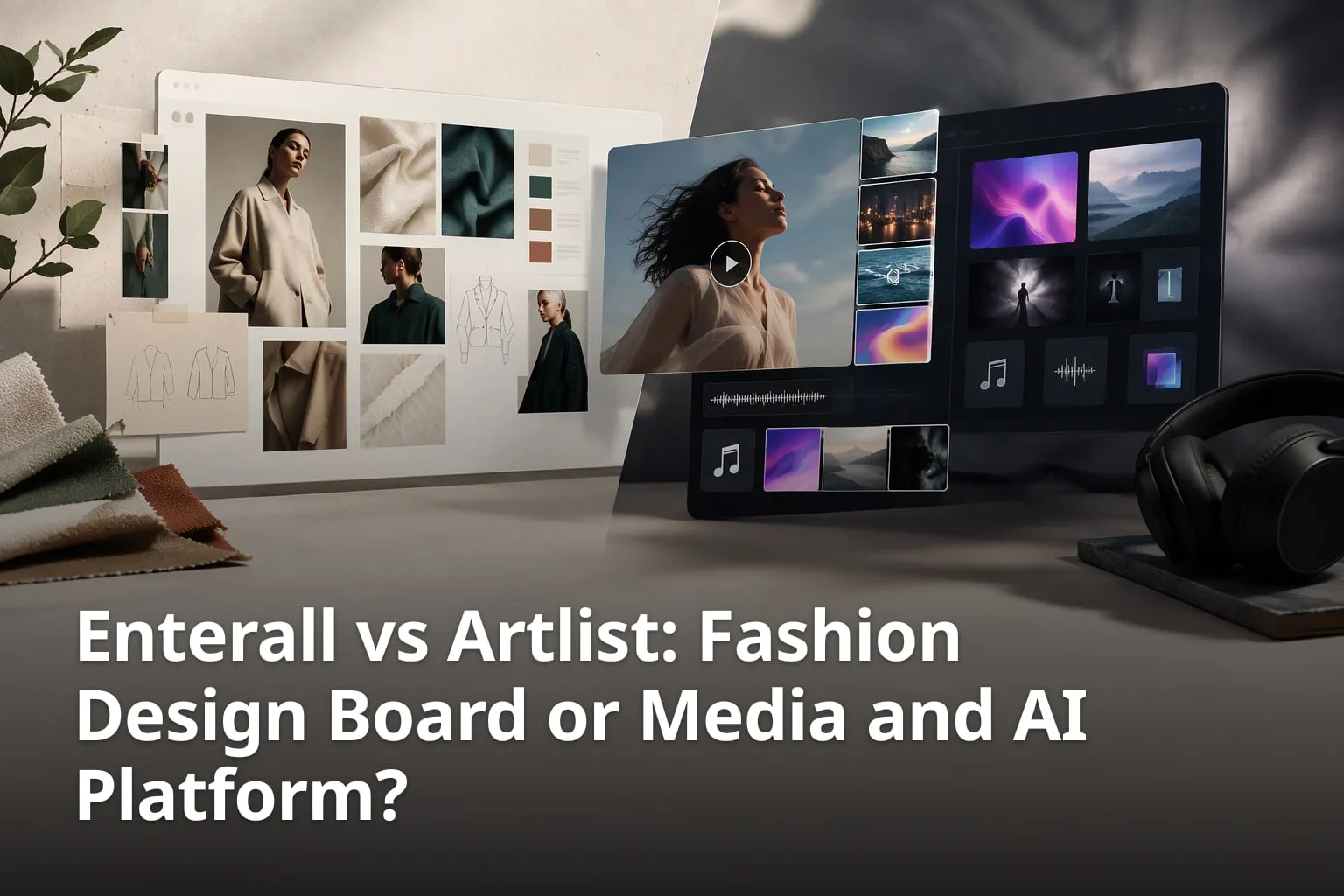
Anyone who saves references from Instagram, Pinterest and other places knows the problem: the saved images pile up in a camera roll or a bookmark list and are never opened again. Enterall and Artlist both sit in the creative toolbox, but they start from opposite ends. Enterall is a board where fashion and apparel designers keep their references next to AI image tools. Artlist is a catalog of music, sound effects, footage and templates, together with AI generators. This article sets out what each company says about its own product, where they overlap and where they do not.
One point up front. In the pages we reviewed, neither company describes a feature that saves posts directly from Instagram or Pinterest. Enterall's documented route is to upload reference images to a board. Artlist's Artboards collect Artlist's own assets. Both facts matter if you are choosing a tool to stop losing inspiration.
What is the primary purpose of Enterall and Artlist?
Enterall calls itself the visual workspace for apparel and fashion teams, where references, sketches, colour palettes and notes sit on one board with AI image tools, while Artlist presents itself as a source of generative AI tools and digital assets for creators, including music, sound effects, footage and video templates.
| Feature | Enterall | Artlist |
|---|---|---|
| What it is | Visual workspace for apparel and fashion teams | Generative AI tools and digital assets for creators |
| What you work with | Your own sketches, product photos and reference images, plus colour palettes and notes | Artlist's catalog and its AI generators |
| Stock catalog | Not described on the site | Royalty-free music, sound effects, stock footage, video templates and LUTs |
| AI tools | Rendered concepts from sketches, colourways, material changes, outfits, packshot-style images and image edits | AI image, video, music and voice generators |
| Boards | Boards that hold references, sketches, colour palettes and notes | Artboards: collections of Artlist assets for a project |
| Sharing and teamwork | Real-time collaborators, plus share links set to view or edit | Artboards can be shared by link; collaborators and comments on Artboards are a business-plan feature |
| Plans | Free (200 credits, once), Starter (150 DKK per month, 1,000 credits), Pro (500 DKK per month, 6,000 credits), Enterprise (custom) | Separate stock catalog and AI plans, plus combined Max plans; see Artlist's pricing page |
| Rights | You keep your rights to uploaded images; Enterall says it does not use them to train AI models | Royalty-free licence tied to a plan; assets are licensed for use in a project, not owned |
What are the key details to consider?
- Enterall describes itself as "the visual workspace for apparel and fashion teams".
- Enterall boards hold references, sketches, colour palettes and notes next to AI image tools.
- Artlist's home page is titled "Generative AI Tools & Digital Assets for Creators".
- Artlist's catalog includes royalty-free music, sound effects, stock footage, video templates and LUTs.
- Artlist also offers AI generators for images, video, music and voiceover.
Enterall's home page headline is "From sketch to tech pack", with the line "Colourways, scenes and fits, without a sample round." The steps it shows are to bring a sketch to life, change colour and material, refine the length and details, create a tech pack, see it on a model and create the packshot. Its FAQ says the product is for fashion and apparel designers, from independent creatives to teams. If your work is designing garments and you want the references and the iterations in the same place, that is the job Enterall describes.
Artlist describes a different job. According to its home page and help center, it sells royalty-free music, sound effects, stock footage, video templates and LUTs, and it offers AI tools for generating images, video, music and voiceovers. It is built around finding or generating the media that goes into a finished video or other project, rather than around developing garment designs.
Because the two start from different places, the real question is rarely which one wins. It is which part of the creative process you are stuck on: collecting and developing visual ideas, or sourcing and generating media to finish a project.
How does Enterall help organize creative inspiration?
Enterall lets you upload sketches, product photos and reference images to a board and keep them together with colour palettes and notes, so the references stay next to the work they inspired.
What are the key details to consider?
- You can upload sketches, product photos and reference images as starting points.
- Boards bring references, sketches, colour palettes and notes together.
- Board content includes titles, notes, shapes, comments and images, according to the privacy policy.
- Enterall also has documents, and its connector page says you can create private boards and documents.
- Images can be downloaded from a board.
The FAQ on Enterall's home page describes a board as the place to "bring references, sketches, colour palettes and notes together" and then develop the ideas with AI image tools. The about page calls the product "a collaborative visual board for organizing ideas, images, and workflows". That wording points to the board as the container for the thinking behind a design, not only for the finished images.
The privacy policy confirms what lives on a board: it lists "titles, notes, shapes, comments, and images you upload or generate". That is the evidence for notes and comments being stored alongside the images. The terms also refer to boards, documents and workspaces, so written material can sit in the same account as the visual work.
For people who collect inspiration on social media, the practical route is to bring the image to the board yourself. Save or screenshot the reference, upload it, and add a note about why it matters. Enterall's pages do not describe an Instagram or Pinterest import, a browser extension or an automatic link capture, so it would be wrong to expect one. The terms add one responsibility: you need the rights and permissions for content you upload, including images of other people and third-party designs.
Enterall also offers a free customized board. On its custom-board page, you give your name and email, optionally an Instagram handle or website and any inspiration links, and receive a customized board within 48 hours. The page says it only accesses publicly available content. If you send no links, you get a standard use-case board instead. This is a service Enterall runs for you, not a live import from a social account.
Finally, Enterall has a connector page for ChatGPT, Codex and Claude. It says you can find and read your boards, create private boards and documents, organize references and develop images from those assistants. If you already work in one of them, that gives you a second way into the same boards.
What are Artlist's strengths and limitations?
Artlist's strength is having licensed music, sound effects, footage, templates and LUTs together with AI image, video, music and voice generators in one account; its limit, for this comparison, is that it is organised around its own catalog and generators rather than around your sketches and outside references.
What are the key details to consider?
- Artlist's catalog includes royalty-free music, sound effects, stock footage, video templates and LUTs.
- Its AI tools cover images, video, music and voiceover.
- Artboards let you group and save Artlist assets for a specific project or campaign.
- A free account can generate content and access watermarked songs and footage; unwatermarked downloads need a paid plan.
- Artlist describes licence terms by plan, and assets are licensed for use in a project rather than owned.
Start with what Artlist gets right. Its home page is built around two things, a catalog and AI generators, and both are described as being available in one place. For a video editor, podcaster or marketer who needs licensed music or footage quickly, that is a clear proposition. Artlist describes its assets as royalty-free and its help center explains the licence by plan, with a Social tier for personal channels and a Pro tier that also covers client work and paid promotion.
Artlist also has more organising tools than a pure stock library would suggest. Its help center describes Artboards as customizable collections where you group and save assets from across the platform, for a specific project or campaign, with music, sound effects, footage, templates, LUTs and AI-generated images, video and voiceovers all able to go in one. You can ask for AI-recommended assets based on the Artboard's description, and you can download from an Artboard in formats such as MP3 or WAV. There is also an AI storyboard tool described on Artlist's blog.
The limits follow from that design. Artboards are described as collections of assets from Artlist, and we found no description in Artlist's pages of uploading your own sketches or social media references for AI development on a board, or of the garment-specific steps that Enterall describes. Artlist's licence terms also matter. According to its help center, assets are licensed for use as part of a larger project rather than as standalone files, so what you can do with a downloaded file depends on the plan and the use.
A note on cost. Artlist sells its stock catalog and AI tools as separate plans, plus combined Max plans, and the figures in different Artlist pages do not agree, so this article does not quote Artlist prices. Check the live pricing page before you budget.
How does Enterall's AI enhance creative workflows?
Enterall's AI tools work on the images and ideas already on your board: they turn sketches into rendered concepts, explore colourways, change materials, combine references, build outfits and create packshot-style images or edit an existing image.
What are the key details to consider?
- Sketches can become rendered concepts.
- Colourways and materials can be explored and changed.
- References can be combined and outfits built.
- Packshot-style images can be created and existing images edited.
- No AI experience is needed; you describe changes in plain language in your browser.
The home page FAQ describes the list above, and the six steps on the home page show how it is meant to run: start from a sketch, change colour and material, refine length and details, create a tech pack, see the garment on a model and create the packshot. The FAQ says you upload a sketch or reference and describe the change you want in plain language, such as trying a new colour or changing a fabric.
Credits pay for this work. The FAQ says credit use depends on the tool and output you choose, and that Free credits are a one-time allotment while Starter and Pro renew each month. The pricing page gives approximate outputs from a full month of credits on one output type. On standard images that is about 18 on Free, about 90 on Starter and about 545 on Pro; the page says actual use varies.
Artlist's AI is a different kind of tool. Its home page and help center describe AI generators for images, video, music and voiceovers, and its blog describes AI video production and storyboard tools. They produce new media from prompts for use in projects, rather than developing garment sketches. If your need is generated video clips or a voiceover, that is the side of Artlist worth looking at.
Which tool is better for team collaboration?
Both products support working with others, so neither can be dismissed here: Enterall lets collaborators work together on a board in real time and lets you share a board by link, while Artlist lets you share Artboards by link and, on its business plans, add collaborators who edit or comment.
What are the key details to consider?
- Enterall: collaborators can work together on a board in real time.
- Enterall: a share link can be set so link viewers can view or edit.
- Artlist: any Artboard can be shared by link, and recipients do not need an Artlist account.
- Artlist: collaborative Artboards with editor and viewer roles and comments are tied to business plans.
- Check each vendor's current plan details before committing a team.
On Enterall, the home page FAQ says you can invite collaborators to work together in real time or enable a share link for your board, and that the share setting decides whether people with the link can view or edit. The pricing page does not list collaboration features by plan; the only team-specific detail is that Enterprise credits are set for your team. Enterall's enterprise page is an enquiry form asking about the team and the workflow you want to support.
On Artlist, the help center describes sharing in two ways. Any Artboard can be shared with a link, and people who open it do not need an account. On business plans, owners can add collaborators by email as Editors, who can edit the Artboard and add members, or Viewers, who can view and comment. Team members can comment on the whole Artboard or on specific assets, including music, sound effects, video clips and AI-generated content. Artlist's help articles do not agree on exactly which plan unlocks collaborative Artboards, so confirm that with Artlist.
The difference is what the team is collaborating on. In Enterall the shared object is a design board with references, sketches and AI-developed images. In Artlist it is a shortlist of assets for a project, where comments go on a track or a clip. Enterall's terms add a caution that applies to any shared workspace: content you share with collaborators, public viewers or connected applications can be copied by them, and removing access does not remove copies they already have.
Can Enterall and Artlist be used together?
They can be used side by side, but not through a documented integration: neither company's pages that we reviewed describe a connection between the two, so any hand-off is manual, by downloading from one and uploading to the other.
What are the key details to consider?
- No integration between Enterall and Artlist is described by either company.
- Enterall's pages describe uploading sketches, product photos and reference images.
- Artlist's help center describes downloading from an Artboard in formats such as MP3 or WAV.
- Artlist assets are licensed for use in a project, so check the licence before reusing a file elsewhere.
- A sensible split is images and design work on one side, music and footage on the other.
Take a small fashion label preparing a lookbook video. It could develop looks, colourways and packshot-style images on an Enterall board, then choose music and footage in Artlist and keep the shortlist in an Artboard. The two sets of work would stay in separate tools, and the team would carry decisions between them by hand. That is a workflow suggestion, not a described feature of either product.
What the pages do support is narrow. Enterall says you can upload sketches, product photos and reference images and download images from a board; it does not say it accepts music or video. Artlist's licence is written for using its assets inside a project, not as standalone files. So the easy hand-off is images and notes, and the careful part is licensed media: read Artlist's licence for your plan before you place a file anywhere other than the project it was licensed for.
What are the key differences between Enterall and Artlist?
The main difference is the starting material: Enterall works from your own sketches, photos and references, while Artlist works from its own catalog of music, footage, templates and other assets and from its AI generators.
What are the key details to consider?
- Enterall is aimed at fashion and apparel designers; Artlist at creators who produce video and other media.
- Enterall boards hold your uploaded references; Artboards hold Artlist assets.
- Enterall describes no stock catalog; Artlist's catalog is its core offer.
- Both have AI tools, but Enterall's work on sketches and images while Artlist's generate media.
- Both support sharing, with different depth and different plan limits.
Audience is the clearest split. Enterall's site speaks to fashion and apparel designers, from independent creatives to teams, and the six steps on its home page follow a garment from sketch to packshot. Artlist's pages speak to creators in general and are organised around music, sound effects, footage, templates and AI generation. If you do not design garments, Enterall's workflow will fit less well; if you do not produce video or audio, most of Artlist's catalog will not apply.
Rights are the second split. Enterall's FAQ and terms say you keep your rights to the images you upload, that Enterall does not claim ownership of your generated images, and that it does not use your images to train AI models. Artlist works on a licence model: you license the right to use assets in projects, rather than owning them, and the details depend on your plan.
The third split is cost structure. Enterall's pricing is credit based: Free gives 200 credits once, Starter is 150 DKK per month for 1,000 credits, Pro is 500 DKK per month for 6,000 credits, and Enterprise is custom. The page says unused credits don't roll over, and it lists USD, EUR and DKK. Artlist's plans are split between stock catalog, AI tools and combined Max plans, so what you pay depends on which of those you need.
Which tool is better for organizing social media inspiration?
Neither company describes saving directly from Instagram or Pinterest, so for social media inspiration the better fit is Enterall, because it is built to hold images you upload, with notes, next to sketches and AI image tools.
What are the key details to consider?
- Enterall describes uploading sketches, product photos and reference images to a board.
- Notes and comments are stored with board content.
- No Instagram or Pinterest import is described on Enterall's pages.
- Artlist's Artboards collect Artlist assets, not outside references.
- You need the rights to anything you upload, including third-party designs.
A workable routine is simple. Save the image or screenshot at the moment you see it, upload it to a board when you sit down to work, and add a note about what caught your eye, such as a colour, a silhouette or a fabric. Later, those same images can be the starting point for the AI tools: Enterall's FAQ says you can upload references as starting points and combine them. The habit of adding the note when you upload is what stops a board from becoming another unopened camera roll.
Artlist handles a different kind of inspiration. If what you are saving is music, a footage clip or a template, an Artboard is a natural place to collect it, and Artlist's help center says you can get AI-recommended assets from the Artboard's description. That is organizing media you plan to license, not organizing references from social feeds.
Be careful with rights wherever you store other people's images. Enterall's terms say you must have the necessary rights and permissions for content you upload, including images of other people and third-party designs. A moodboard for internal reference is a different thing from using someone else's photo in published work.
Which tool should you choose?
Choose Enterall if you design apparel and want references, sketches, notes and AI image development on one shared board; choose Artlist if you need licensed music, sound effects, footage, templates or AI-generated media for a project; use both if your work includes both.
A few questions help. Is the thing you keep losing a set of images that inform a design? That points to a board. Is it the right track or clip for a video? That points to a catalog. Do you need several people to react to the same material, and is it garment design or media selection? The answer decides whether Enterall's shared boards or Artlist's collaborative Artboards fit better.
Start with the free options before paying. Enterall has a Free plan with 200 credits once and no credit card to sign up, plus the free customized board. Artlist says a free account can generate content and access watermarked songs and footage. Both let you test your own workflow before you commit to a plan.
Key Takeaways
- Enterall is a visual workspace for fashion and apparel teams; Artlist is a catalog and AI platform for creators.
- Neither company describes saving directly from Instagram or Pinterest; Enterall's documented route is uploading reference images.
- Both support sharing, and Artlist's collaborative Artboards sit on business plans.
- Enterall describes no stock catalog; Artlist describes no garment workflow.
- Pricing is credit based at Enterall and split by catalog, AI and Max plans at Artlist.
What is Enterall's primary use case?
It is a visual workspace for fashion and apparel designers, where references, sketches, colour palettes and notes sit on one board and AI image tools develop the ideas.
Is Artlist suitable for organizing creative inspiration?
Partly. Artlist's Artboards let you group Artlist music, sound effects, footage, templates, LUTs and AI-generated assets for a project, but they collect Artlist assets. Uploaded sketches and outside references are better kept on a board such as Enterall's.
Can Enterall handle team collaboration?
Yes. Collaborators can work together on a board in real time, and a share link can be set so people with the link can view or edit. The pricing page does not list collaboration features by plan.
Does Enterall integrate with social media platforms?
No integration with Instagram or Pinterest is described on the company's pages. What they do describe is uploading sketches, product photos and reference images to a board, where notes can be kept with them.
What makes Enterall different from Artlist?
One works from your own sketches and references on a board with AI image tools for fashion and apparel; the other offers a catalog of music, sound effects, footage and templates plus AI generators for images, video, music and voice.
Can I use Enterall and Artlist together?
Not through a documented integration. Neither company describes one, so any hand-off is manual: download from one tool and upload to the other, keeping to the licence terms of any Artlist asset.