
Build a Fashion Photoshoot Shot List
Learn how to build a fashion photoshoot shot list: what to include, how to organize references, and how to keep the team aligned.
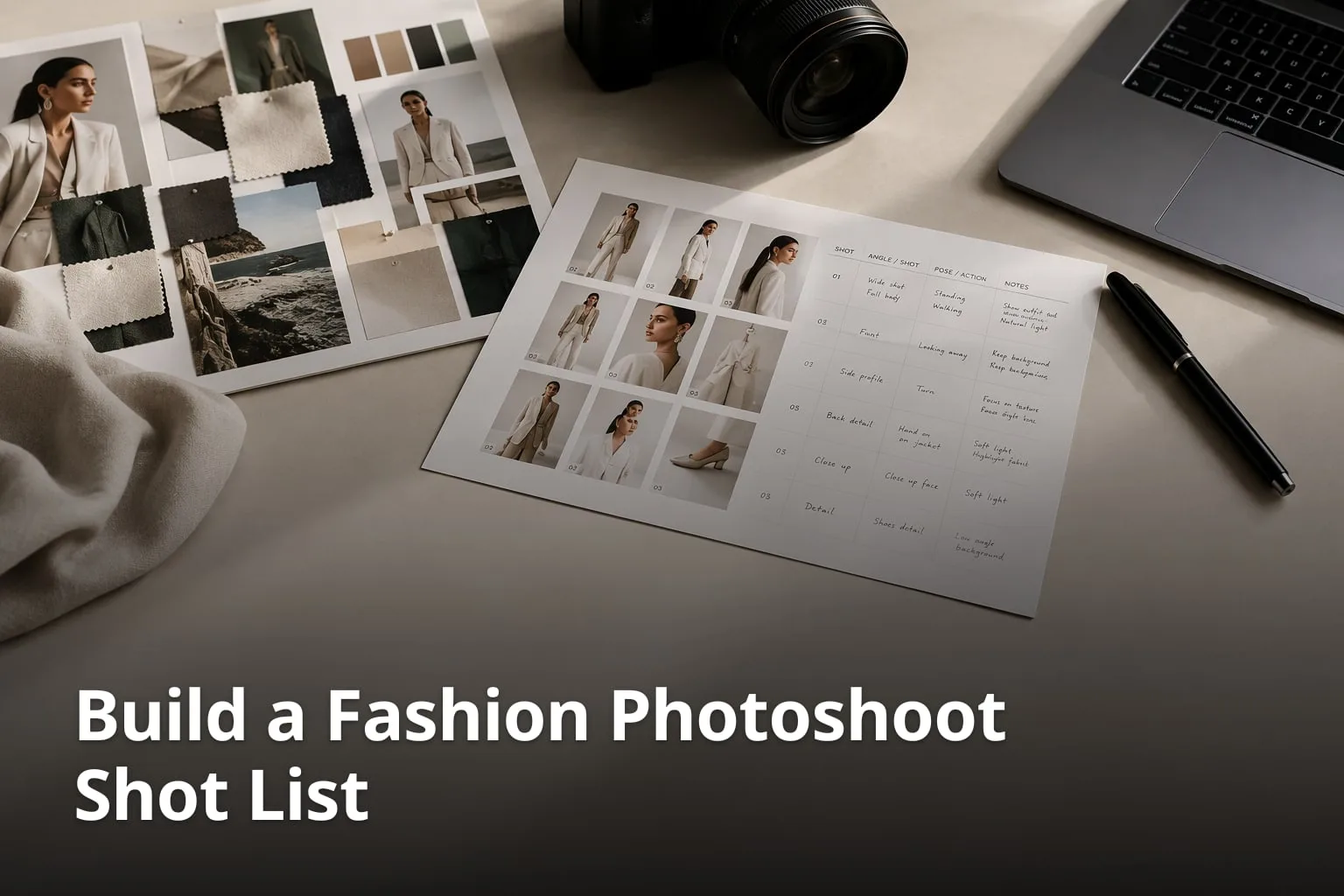
A shot list is one of the most useful planning documents for a fashion photoshoot. It turns the creative vision into a concrete list of images to capture, so that the photographer, stylist, models and producer all work from the same plan. This guide explains what a shot list is, what to put in it, how to build one step by step, and how a visual workspace such as Enterall can hold the shot list, the brief and the references in one place.
Key Takeaways
- A shot list is a plan of all the images you need to capture during a photoshoot.
- It includes specifics such as angles, poses, outfits and styling notes.
- A prioritized list helps the team spend limited shoot time on the shots that matter most.
- Sharing the list, the brief and the references with everyone involved keeps the team aligned.
- A table beside the brief and a reference board keeps the plan easy to read on the day.
What is a shot list for a fashion photoshoot?
A shot list is a plan of all the images you need to capture during a fashion photoshoot. It breaks the brief down into individual shots, so the team can work through them in an order that suits the schedule.
What are the key details to consider?
- Defines the specific shots required for the project.
- Includes details like angles, poses, and styling notes.
- Serves as a guide for photographers and creative teams.
- Helps avoid missed shots during the shoot.
- Can be shared with collaborators for alignment.
A well-made shot list bridges the gap between creative concepts and practical execution. It breaks the work down into individual frames, from wide shots to close-ups, so the photographer knows what needs to be captured. This matters in fashion, where a single shoot can involve several outfits, models and settings.
A shot list can also carry visual references. Moodboard snapshots or color palette notes next to a shot help photographers and stylists see what a frame should look like, which leaves less to interpret on the day.
Why is a shot list important for fashion photoshoots?
A shot list keeps the photoshoot organized and makes sure the key images are captured.
What are the key details to consider?
- Gives clarity on the creative direction and priorities.
- Reduces guesswork during the shoot.
- Helps manage time and resources.
- Supports consistency across images for a campaign or collection.
- Makes it easier for team members to work together.
Fashion photoshoots involve many small details: specific poses, lighting setups and outfit changes. Without a shot list, an important frame is easy to forget, and a missed frame can mean a reshoot. Mapping out the priorities beforehand lets the team put its energy into the planned images.
A shot list also helps a team stay on schedule, particularly when you are paying for models or a rented location. It tells everyone what comes next, which cuts waiting time between setups, and it keeps photographers, stylists and assistants working from the same instructions.
A clear list also makes handovers simple. If a stylist, assistant or producer joins midway through the day, they can see what has been shot and what is left without asking the whole team.
How do you start building a shot list?
Start by reviewing the shoot brief, then list the specific shots you need and organize them in a structured table. This early planning step helps make sure each creative element is covered and matches the vision for the campaign.
1. Review the shoot brief to understand objectives.
Start with the shoot brief, which sets out the campaign goals, the target audience and the creative direction. The shot list should follow the brief, so check each planned shot against it. Reviewing the brief also shows which themes or brand elements need to appear in the final images.
2. Identify key shots based on campaign needs.
Break the creative goals down into specific shot requirements. For example, a sportswear campaign might need action shots, product-focused images and lifestyle scenes. Sorting the needs this way makes it clear which shots carry the campaign message and which are extras.
3. Categorize shots by type, location, or styling elements.
Organize the list into practical groups, such as indoor and outdoor locations, specific garments or accessories to feature. Grouping shots by location or outfit simplifies scheduling, because you can shoot everything that needs the same setup together before moving on.
4. Include references or sketches for visual clarity.
Add visual references for each shot. These can be moodboard images, sketches or photographs that show the lighting, angle or styling you want. A picture often explains a frame faster than a paragraph of description.
5. Use a collaborative tool to draft and refine the list.
Choose a place where the whole team can read and update the list, such as a shared document, a spreadsheet or a collaborative workspace. A list that everyone can open makes it easier to share feedback before the shoot and to note changes during it.
What should a fashion photoshoot shot list include?
A shot list should include shot descriptions, references, priorities, and any technical or styling notes to guide the team during the shoot. Incorporating these elements ensures that every team member clearly understands their responsibilities and the creative vision.
1. Define shot descriptions with angles, poses, or setups.
Describe each shot with its camera angle, subject pose or setup. For example, a close-up of a fabric texture needs different framing from a full-length look, so write down which one you want. Clear descriptions prevent confusion and keep the shoot moving.
2. Include visual references for styling or composition.
Attach visual references to each shot. These can be previous shoots, moodboards or inspiration images that show the styling and composition you are aiming for. With the same references in front of them, photographers and stylists can work toward the same look.
3. Prioritize shots to focus on must-haves.
Rank the shots by importance, separating the essential images from the optional extras. If time runs short, the key shots have already been captured, and the team knows which frames can be dropped.
4. Add technical notes for camera settings or equipment.
Add technical notes where they matter, such as lighting setups, lens choices or equipment needs. This lets the photographer and crew prepare in advance instead of solving it on set.
5. Detail styling notes for apparel and props.
Include styling notes for each shot: the garments, accessories and props that appear in it. For example, list the specific colorway or garment combination you want to show. Styling notes help keep the look consistent from one frame to the next.
How can Enterall help streamline shot list creation?
Enterall is a collaborative visual workspace where creative teams collect references, develop images with AI, and turn the same board into briefs, tables, calendars and presentations. For shoot planning, that means the shot list can sit as a table on the same board as the shoot brief and the reference images. Teams can also work together on a shared board, with comments attached to the material they concern.
What are the key details to consider?
- Build a shot list as a table beside your visual references.
- Add images, text and notes to the board.
- Write the shoot brief as a document connected to the board.
- Plan the shoot schedule in a calendar.
- Share the board with collaborators, who can comment on the material.
1. Set up your shot list table
Create a table for the shot list. Enterall's tables organize structured information, such as shot lists, asset lists and deliverable trackers, next to the visual work. A column each for the shot description, the location, the outfit and the props gives you a plan you can read at a glance. Filling it in before the shoot day also shows gaps, such as a missing prop or an unclear location, while there is still time to fix them.
2. Add references to your board
Add your references to the board. Upload sketches, inspiration images or moodboard material, or add links, so that the references sit beside the shot list table. Keeping the visual direction on the same board as the plan means the team does not have to hunt through separate folders and message threads.
3. Collaborate with your team
Invite your team. Enterall supports shared boards with read, write and administrative access levels, and comments attached to the material they concern. Collaborators can respond to a specific image or note instead of sending feedback in a separate message.
4. Generate presentations or briefs
Write the brief and plan the day. In Enterall you can create a shoot brief as a document connected to the board, with AI-assisted drafting if you want it, and plan the shoot schedule in a calendar. When you need to show the plan to a client or production team, you can also assemble selected board material into a presentation.
How do you organize references and visual boards for a shot list?
Use a visual board to collect references, sketches and inspiration in one place, and keep it next to the shot list so the team can compare each planned frame with its reference. Grouping the references by theme, location or outfit makes the board quicker to scan, and short notes beside an image can point out a lighting setup or wardrobe change.
What can you do on a reference board?
- Add images, sketches or moodboard material to the board.
- Place references next to the shot list table.
- Arrange and group material by theme, location or outfit.
- Add text and notes to point out important details.
- Share the board with collaborators for feedback.
1. Gather visual references
Collect the inspiration images, sketches and moodboard material that relate to the shoot concept. On an Enterall board you can add images and links, add text and notes, and import material from public Pinterest boards. Gathering everything in one place keeps references from getting lost in separate folders.
2. Organize your board by themes
Group the references by theme, location or styling element. On a board you can move, resize and group material, so each shot can have a clear visual direction beside it. If the plan changes, you can rearrange the board instead of starting again.
3. Annotate key details
Add notes to the key references, such as the lighting you want or a styling instruction. Short notes keep the important details attached to the image they refer to.
4. Share the board for feedback
Share the board with teammates, stylists or clients and ask for comments. Enterall lets you share a board by link and choose whether people with the link can view or edit it. Feedback that is attached to the relevant image is easier to act on before the shoot begins.
What does a simple fashion shot list look like?
A simple shot list is a table with one row per shot. Keep the columns few, so the list stays quick to scan on a busy day. The columns below cover most fashion shoots, and you can add or drop any of them to suit your project.
Which columns are worth including?
- Shot number and a short name, for example 1 and Full-length look, studio.
- Outfit or product, with the colorway or garment details.
- Framing and angle, such as full-length, three-quarter or close-up on a fabric detail.
- Pose or action for the model.
- Location or set, so shots at the same place are grouped together.
- Props and accessories.
- Priority: essential or optional.
- Reference image or link, so everyone sees the intended look.
- Status, for example planned, shot or reshoot, so the list shows progress during the day.
- Notes for lighting, styling or retouching.
Order the rows by setup rather than by campaign story. If four outfits are shot on the same set, group them, so the crew changes the lighting once and not four times. Put the essential shots first within each group, and keep the optional ones at the end. After the shoot, the status column becomes a record of what was captured, which is useful when you review the images.
How do you share the shot list with the team before the day?
Send the brief, the shot list and the references together, in one place, a few days before the shoot. Ask the stylist to check the outfit and prop columns, ask the photographer to check framing, lighting and time, and ask the producer to check the schedule. Questions raised before the shoot are easier to solve than those raised on set. On the day, keep one version of the list that everybody can open, and update the status as shots are completed.
What are common mistakes to avoid when creating a shot list?
Avoid vague descriptions, overloading the list and skipping contingency plans. A clear, focused shot list is easier to follow on set.
What are the key details to consider?
- Avoid overly generic shot descriptions without details.
- Don't include too many shots that exceed the shoot's capacity.
- Failing to prioritize shots can lead to missed key images.
- Neglecting to plan for contingencies like weather or delays.
- Not sharing the list with collaborators can cause misalignment.
A common pitfall is a vague description such as "close-up of product" with no angle, lighting or purpose. Two people can read that line in two different ways, which leads to inconsistent results. Another mistake is putting more shots on the list than the schedule or the team can realistically handle, which puts the key shots at risk.
Not prioritizing shots is a risk if time runs short or something unexpected happens, so mark which shots are essential and which can be skipped. Plan for contingencies too, such as weather for outdoor shots, equipment problems or delays. Finally, share the list with the team in advance, so that nobody finds out about a change on set.
How do you adapt a shot list during the shoot?
Be ready to adjust the shot list when conditions change or new opportunities appear, while keeping the creative goals in view.
What are the key details to consider?
- Reassess priorities if time or conditions change.
- Communicate updates to the team promptly.
- Use the shot list as a flexible guide, not a rigid plan.
- Capture additional shots if creative opportunities arise.
- Document changes for post-shoot review and feedback.
During a shoot, weather, technical difficulties or time pressure may force you to adapt. Reassess the priorities so that the most important shots are captured first, and tell the team promptly so nobody is working from an outdated plan.
Treat the shot list as a flexible guide rather than a fixed script. If you spot a good angle or lighting condition, take the opportunity as long as the essential shots are still covered. Note the changes you make, so that you can review them after the shoot and improve the next list.
What is the purpose of a shoot brief in relation to a shot list?
A shoot brief defines the creative goals and direction for the photoshoot, serving as the foundation for building a detailed shot list.
How can visual boards improve shot list creation?
Visual boards let a team collect references and organize ideas in one place. Keeping them beside the shot list lets everyone compare each planned frame with its reference.
What tools can be used to create a shot list?
A shot list can live in a spreadsheet, a shared document or a collaborative workspace. In Enterall, the shot list can be a table on the same board as the shoot brief and the reference images.
How do you prioritize shots in a shot list?
Prioritize shots by their importance to the project goals, marking must-have images and optional ones based on time and resources.
What should you do if a shot is missed during the shoot?
Decide whether the shot can be recreated or replaced with an alternative frame. Note what happened so the next shot list can avoid it.
Can a shot list be reused for future shoots?
Yes. A shot list can be adapted for similar shoots, especially when the creative goals or the outfit and location structure are similar. Duplicating the previous list and editing it saves starting from scratch.
Plan your next shoot on one board. Keep the brief, the shot list table and your references together in Enterall.