
AI Edit vs Generate for Creative Teams
A practical guide to choosing between AI editing and AI generation for fashion and creative teams, with review checks and an Enterall board workflow.
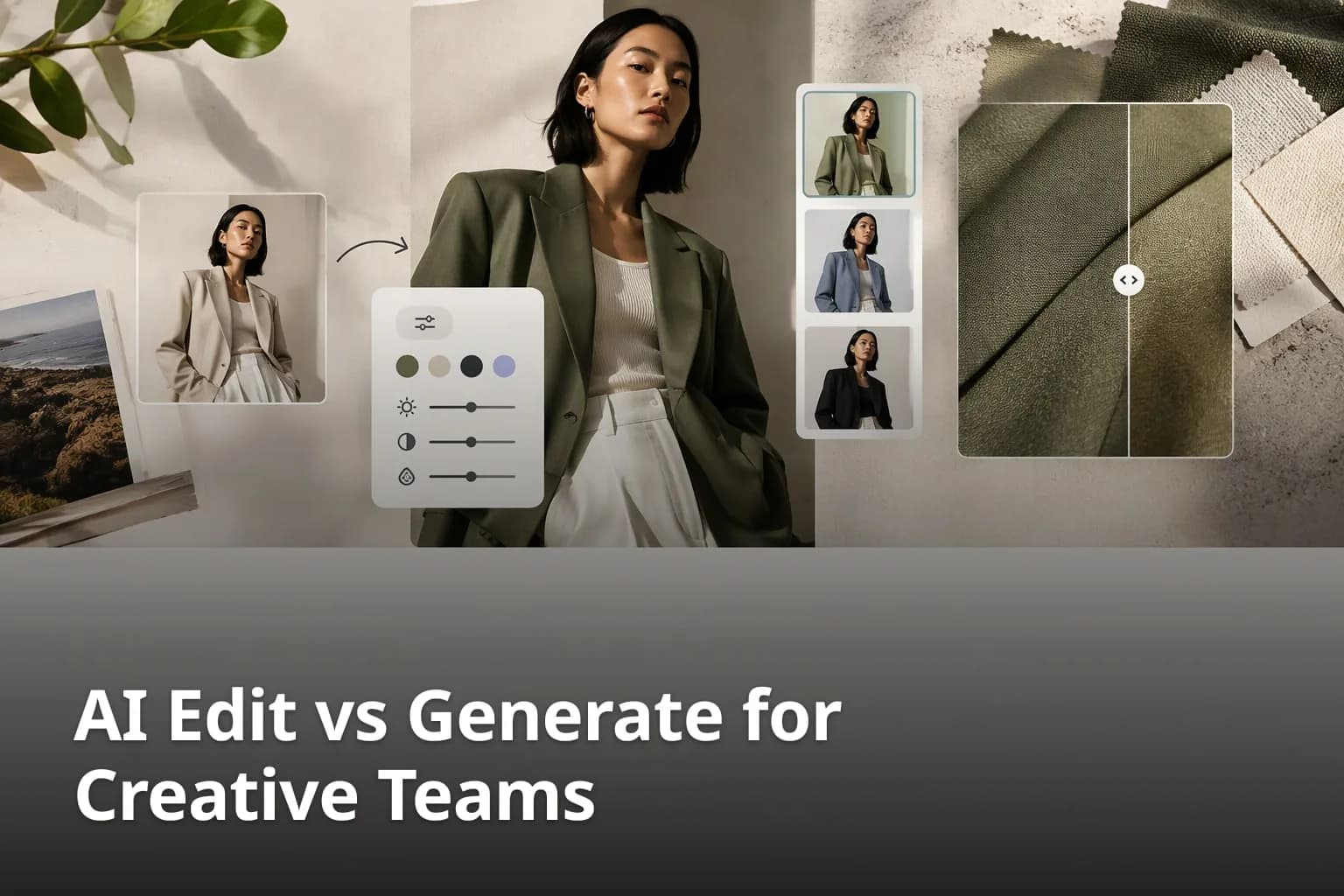
Every creative team that uses AI for images runs into the same decision sooner or later: do we change something we already have, or do we ask for something new? The answer affects how much of the original survives, how much review the result needs and how easy it is to explain the choice to a client. This guide sets out a practical way to decide between editing and generating, using fashion and apparel examples, and shows how the two fit together on an Enterall board.
What is the difference between AI editing and AI generation?
AI editing starts from an image you already have and changes part of it, while AI generation produces a new image from a written direction, from selected images, or from material already on a board. In practice the line is not sharp: you can generate from a reference, and you can edit a generated image. What matters is whether the starting point is something you want to keep.
Enterall describes both on its own pages. Its home page says you can turn sketches into rendered concepts, explore colorways, change materials, combine references, build outfits and create packshot-style images, and that you can also edit an existing image to develop a specific detail or try another direction. The product documentation for fashion teams lists generating images from text prompts, editing selected images, combining selected references and creating similar alternatives and visual variations.
How do the two approaches compare at a glance?
- Editing starts with a selected image and asks for a focused change, such as a new color, material, background, styling or scenery.
- Generation starts with a prompt, a sketch or a set of references and asks for a new visual direction.
- Variations sit in between: they create similar alternatives of an image you already like.
- All three need review. Small product, material, construction, text or identity details can change.
The last point matters most for the decision. Enterall's product guidance says that using a reference improves direction but does not guarantee exact preservation of the source. Treat every edit as a new image that has to be checked against the original, not as a guaranteed copy with one change.
When should creative teams edit an existing image?
Edit when you have an image you already like and you want to change one specific thing about it. The image is the anchor, and the question is whether the change keeps the parts that matter. Typical cases in apparel are a new colorway, a different material, a cleaner background, or a different model or setting around the same garment.
Enterall lists these changes among its AI image capabilities: changing colors, materials, backgrounds, styling, models or scenery, removing backgrounds and creating black-and-white variants. It also describes concrete fashion workflows built on editing, for example creating garment colorways from a selected reference and comparing the results beside the original.
Which jobs suit editing best?
- Colorways: select a garment image, define the target colors or a reference palette, create alternatives and compare them beside the original.
- Material and finish exploration: add material or texture references and request a focused change, then review the construction details.
- Garment-only pack shots: begin with source imagery that contains the garment, remove the model, mannequin, hanger or distracting environment where appropriate, and review edges, trims and proportions before commercial use.
- Model, styling and scenery exploration: keep the garment direction and compare alternative models, poses, locations or atmospheres.
- Fixing a detail: use the edit to develop one specific detail instead of starting over.
The common thread is a short list of changes you could describe in one sentence. If you find yourself describing a different garment, mood or composition, you have probably moved from editing to generating.
When should creative teams generate a new image?
Generate when there is no image worth anchoring to yet, or when you want the AI to propose directions rather than adjust one. Early concept work, a sketch that needs a more resolved interpretation, or a set of references that you want to combine into something new are all natural starting points.
Enterall describes generation from text prompts, from selected images, and from material already placed on a board. Its home page also lists turning a sketch into a rendered concept as the first step in its sketch-to-tech-pack path. Its product documentation describes a workflow where you add sketches, drawings or early references, define the intended level of polish and generate a more resolved visual interpretation, with the guidance to use the result as creative direction rather than as an unverified production specification.
Which jobs suit generation best?
- Turning a sketch into a rendered concept so that the team can react to something visual.
- Exploring several visual directions from a written brief before any reference photography exists.
- Combining selected references into a new image, for example a silhouette from one source and a palette from another.
- Producing options for a campaign moodboard that you will later narrow down and edit.
Because generation gives the AI more freedom, plan for more variation between results and more discarding. Write down what the image is for, such as a lookbook, a line sheet or an internal review, so that you can reject results for a clear reason.
How can you decide between editing and generating in practice?
Ask three questions: is there an image I want to keep, can I describe the change in one sentence, and what happens if a detail comes out wrong? If the answers are yes, yes and little, edit. If they are no, no and little, generate. If a wrong detail would be costly, edit carefully and review hard, or return to the original.
Which questions help the team choose?
- Is there an approved reference image? If yes, editing keeps the team looking at the same garment or scene.
- Is the change small enough to name in one sentence? A color, a material, a background or a setting suggests an edit.
- Are you still looking for the direction? A concept that does not exist yet suggests generation.
- Do exact product details matter, such as trims, seams, logos or text? Then check every result against the source.
- Will the image be shown to a client or used commercially? Add a review step before it leaves the board.
These questions are a rule of thumb, not a rule. One workable pattern is to start with generation to find a direction, pick the strongest result, and then edit that image to refine it. The journal on Enterall's site describes the same loop: generate a first set of variations from a reference or a sketch, compare them with the references, and then edit the one or two strongest images to develop a detail or try another direction. It also advises changing one thing at a time so the differences between variations are easy to read.
Tip: write a two or three sentence direction on the board before you generate anything. It makes it possible to reject a result because it misses the direction, instead of only because it feels off.
How do you run an edit-or-generate workflow on an Enterall board?
Put the references, the written direction and the results on the same board, then edit or generate from there and compare each result beside the original. Enterall is built around boards where you bring references, sketches, color palettes and notes together and then develop and visualize ideas with AI image tools.
1. Create a board and add your references
Create a board for the project. Upload sketches, product photos and reference images, and keep color palettes and notes beside them. The documentation describes collecting images, adding text and documents, and arranging references on the canvas.
2. Write the direction as a note
Add a short note with the style, the level of polish and the purpose of the images. Anyone who opens the board sees the intent before the first result.
3. Choose edit or generate
Select an image and ask for one change if you want an edit. Start from a prompt, a sketch or several selected references if you want a new direction. Describe what you want in plain language, for example a new color or a different fabric.
4. Compare the result beside the original
Place the result next to the source and check proportions, trims, edges and color before you look at mood. Drop what does not match instead of trying to rescue it.
5. Comment and decide
Invite collaborators to work on the board and use comments attached to the relevant material. When the team picks an image, add a note saying why it won.
6. Share for review
Enable a share link for the board and choose whether people with the link can view or edit it. Open the link as a viewer once to confirm what reviewers can see.
The board also keeps a history. Enterall's product material lists version history and restoration, and its MCP guide lists reading board history and restoring board versions, so a team can return to an earlier state if an experiment goes the wrong way.
What should you check before using an edited or generated image?
Check the details that decide whether the image is usable: the garment's silhouette and proportions, trims, seams, logos, text, materials and any other product detail that must match the real item. Enterall's product guidance is that results should be reviewed for visual and factual accuracy.
What does a good review checklist contain?
- Compare the result with the source image and the written direction.
- Look at trims, seams, logos and materials for changes you did not ask for.
- For pack shots, confirm silhouette, proportions, fastenings and edges.
- For colorways, confirm that the construction still matches the original garment.
- Treat the image as creative direction. Do not treat it as an unverified production specification.
- Do not assume rights clearance for generated material. Check your own requirements before commercial use.
Enterall's product guidance also lists pixel-perfect source preservation, error-free product details and consistency across every generated variation as outcomes that should not be promised. A short review step costs little compared with correcting a mistake after it has reached a client.
Always review AI-edited and AI-generated images against your source material before you share them outside the team.
How do credits and plans affect the choice?
Both editing and generation use credits, so the number of attempts you can afford depends on your plan. Enterall states that credits power all AI work, that a Free plan includes 200 credits once, and that Starter and Pro provide a new allocation each billing month. Unused credits do not roll over.
The pricing page also gives approximate outputs if you spend a plan's full credits on one type of output, and notes that actual use varies. For standard images the Free plan is shown at about 18, and the amount depends on the tool and the output you choose. Prices can change, so check the pricing page before you decide on a plan.
This is a reason to plan before you generate. Start with a small number of focused edits or variations, compare them, and spend the rest of your credits on the direction that the team has chosen, instead of producing many unrelated images.
Can you edit and generate from your own AI assistant?
Yes, through MCP. Enterall's MCP guide says that MCP lets a compatible AI assistant use Enterall's tools with your permission, and that you can connect from ChatGPT, Codex or Claude. The listed tasks include finding boards, reading and organizing content, working on documents, and generating or editing images placed on the canvas.
The guide adds that connecting does not give the assistant more access than your Enterall account has, and that image generation and editing use your existing credits, including similar-image generation. Connecting and using board, canvas, document and collaboration tools is free, and requests that change content or use credits can have lasting effects, so review the target board before you approve them.
What does Enterall say about your uploaded images?
Enterall states that you retain your rights to the images you upload and that it does not claim ownership of your generated images. It also says it does not use your images to train AI models and that its AI providers do not train on them by default.
If your references are client property, read the privacy policy and the security and data pages on enterall.co yourself before you upload them. The MCP guide notes that when you use AI features, relevant text and images are sent to the AI providers needed to fulfill the request.
How should a team run a first test?
Pick one garment or a small capsule with clear references and a deadline you control, then run one edit round and one generation round and compare them. A small test shows which approach shortens your review rounds without risk to a real launch.
What should a first test include?
- One real sketch or product photo as the starting reference.
- A written direction of two or three sentences.
- Two or three colorways or material options made by editing.
- One or two new directions made by generating from the sketch or a prompt.
- One review round with a collaborator and a note on which image won and why.
Afterwards ask what took the most time. If it was finding references or earlier versions, the board helped. If it was writing instructions, spend more time on the written direction next time.
What questions do creative teams ask about editing and generating?
What is the difference between AI editing and AI generation?
Editing starts from an image you already have and changes part of it, such as the color, material, background or setting. Generation creates a new image from a prompt, a sketch or selected references.
Can AI editing keep an image exactly as it was?
No tool should be assumed to preserve a source exactly. Enterall's product guidance says reference use improves direction but does not guarantee exact preservation, and that small product, material, construction, text or identity details can change, so review every result.
Should we start with editing or with generating?
Start with editing if you already have an image you want to keep and a change you can describe in one sentence. Start with generating if the direction does not exist yet. One workable pattern is to generate first and edit the strongest result.
Can we use our own sketches and reference images?
Yes. Enterall says you can upload sketches, product photos and reference images to a board and use them as the starting point for your work.
Can several people work on the same board?
Yes. You can invite collaborators to work together in real time, or enable a share link and choose whether people with the link can view or edit the board.
Do AI edits and generations use credits?
Yes. Enterall states that credits power all AI work, and that image generation and editing use your credits. The pricing page lists the current plans and how credits renew.
Does AI replace the creative team?
No. The images still need direction, comparison and review by people. Enterall describes its tools as a way to develop and visualize ideas, with results reviewed for accuracy.
Start a board with your own references and try one edit and one generation side by side. Create your visual board